

How to Get a YouTube Playlist Link on Any Device
Find and copy the link to any YouTube playlist on a computer, in the YouTube app or in YouTube Music, and fix links that only open one video.
Quick answer: On a computer, open the playlist and copy the address from your browser's address bar, or click Share and then Copy. In the YouTube app, open the playlist, tap Share, then Copy link. A playlist link always contains list= followed by the playlist ID.
What a YouTube playlist link looks like
A playlist link comes in two forms, and both work:
https://www.youtube.com/playlist?list=PL8dPuuaLjXtNlUrzyH5r6jN9ulIgZBpdo
https://www.youtube.com/watch?v=tpIctyqH29Q&list=PL8dPuuaLjXtNlUrzyH5r6jN9ulIgZBpdo
- The first one opens the playlist page with every video listed.
- The second one plays one video inside the playlist, with the rest of the playlist queued up next to it.
- The part after
list=is the playlist ID. If a link has nolist=, it is a link to a single video, not to a playlist.
Links copied with the Share button often end with &si= and a string of letters. That part only tracks where the link was shared. You can delete it, and the link still works.
How to get a YouTube playlist link on a computer
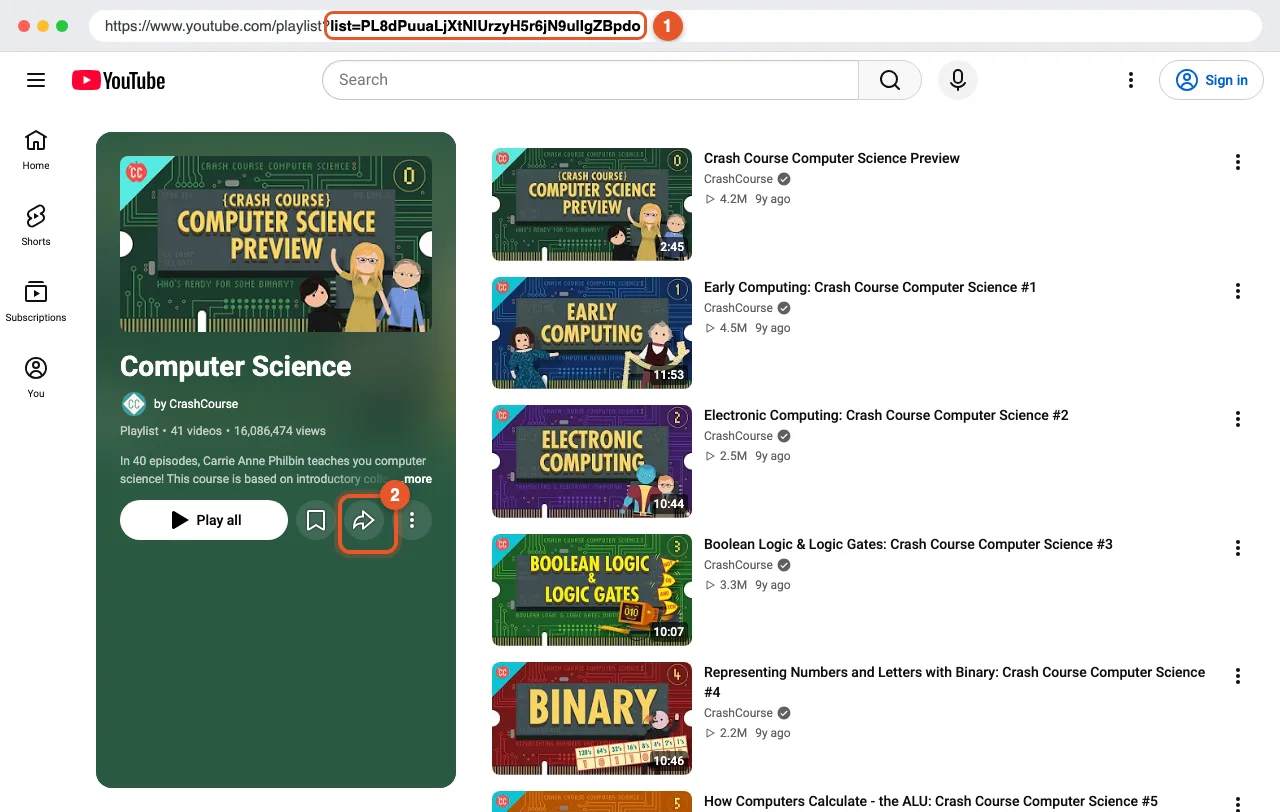
Method 1: Copy it from the address bar
- Open the playlist page. You can find your own playlists under You → Playlists in the left menu, or click a playlist's title anywhere on YouTube.
- Click the browser's address bar. The address contains
list=(marked 1 below). - Press Ctrl + C (Windows) or Cmd + C (Mac) to copy it.
Method 2: Use the Share button
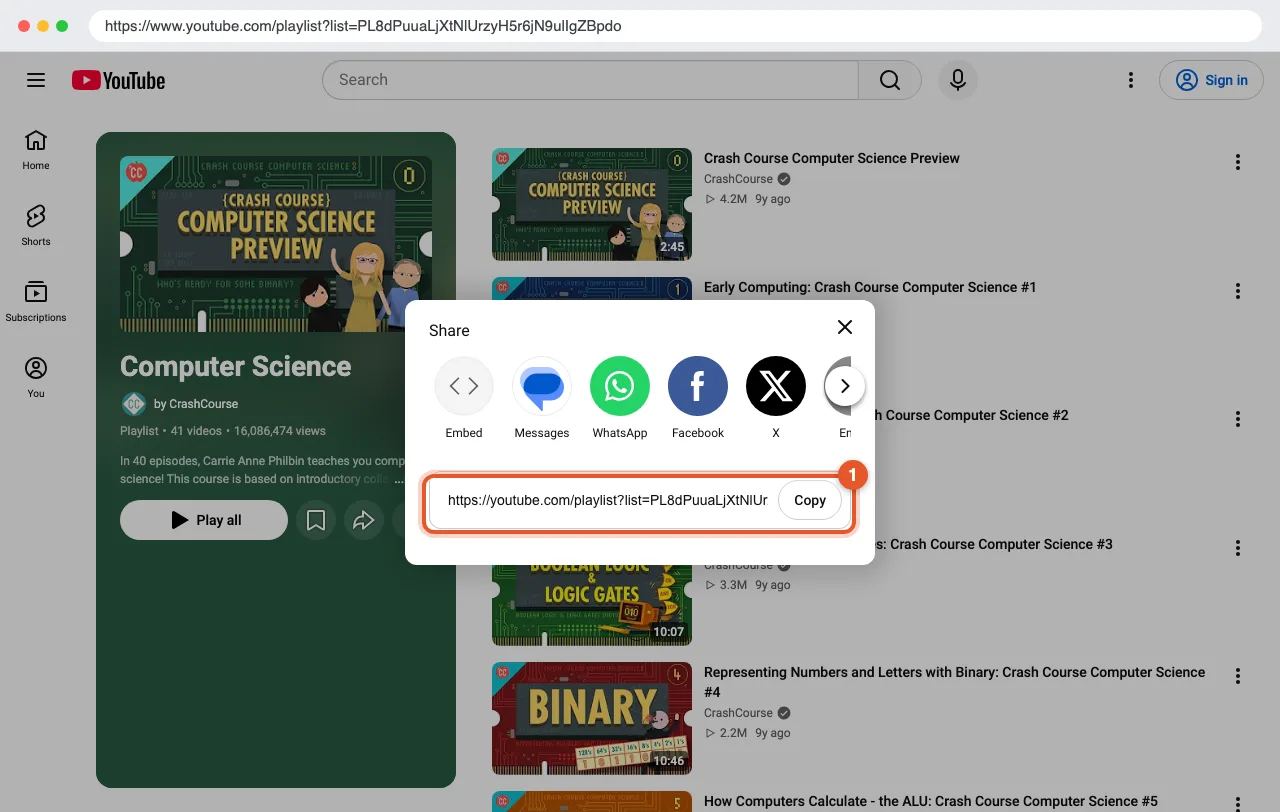
- On the playlist page, click the Share button (the curved arrow next to Play all, marked 2 above).
- In the window that opens, click Copy next to the link.
From a video that's playing in a playlist
When you watch a video from a playlist, the playlist appears in a panel next to the player, and the address in your browser contains &list=. Copy the whole address to share the video together with its playlist.
To share the playlist itself, click the playlist's name at the top of that panel. It opens the playlist page, where you can copy the link with either method above.
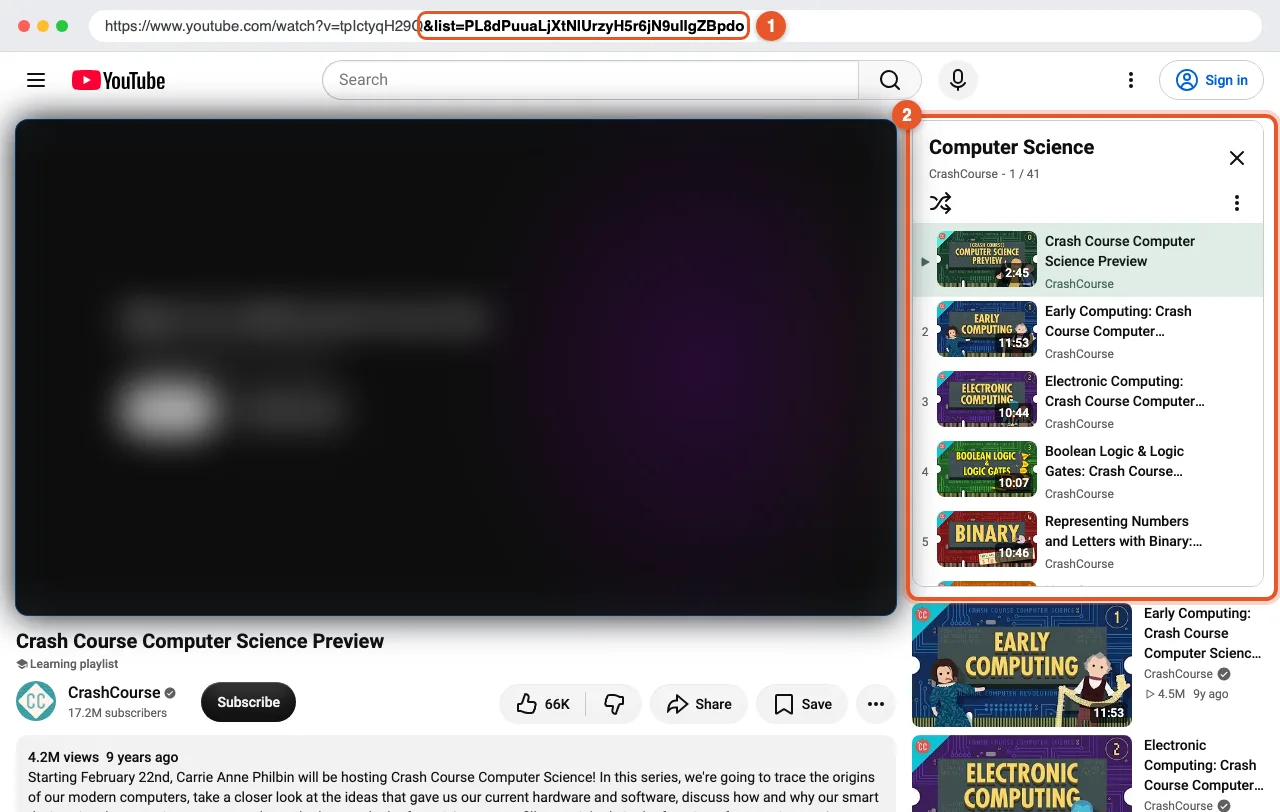
The Share button under the video may give you a link to that video only. If the link you copied has no list= in it, use the address bar instead.
Copy a playlist link in the YouTube app (iPhone and Android)
- Tap You in the bottom-right corner.
- In the Playlists row, tap View all, then tap the playlist you want.
- Tap the Share button (the curved arrow) on the playlist page.
- Tap Copy link.
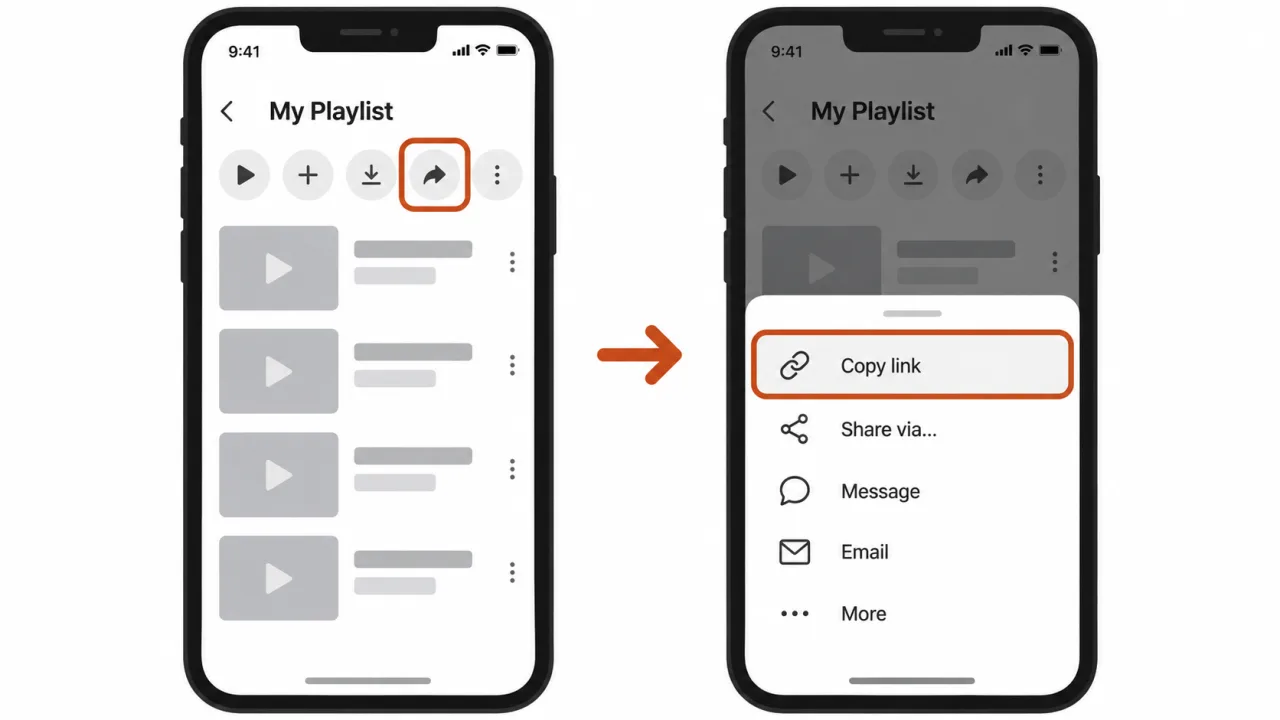
The app copies a link like https://youtube.com/playlist?list=..., which you can paste anywhere.
Get a playlist link in YouTube Music
On a computer: open the playlist on music.youtube.com and copy the address from the address bar. It contains list=, just like on YouTube.
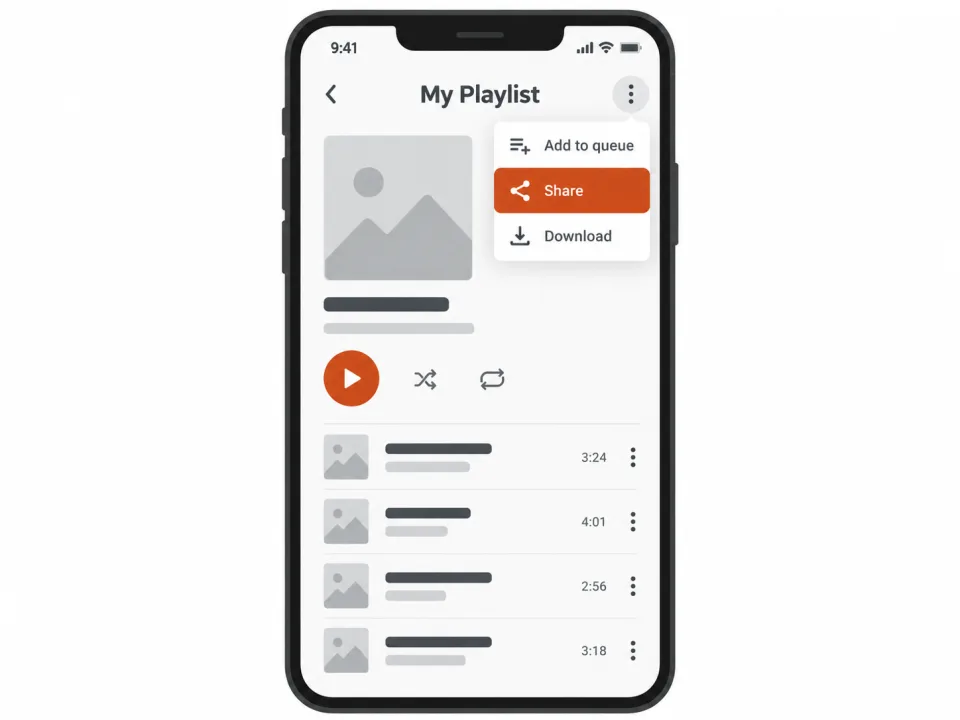
In the YouTube Music app:
- Open the playlist.
- Tap the ⋮ (three dots) menu.
- Tap Share, then Copy link.
Your Liked music list and your personal Mixes are built for your account, so they can't be shared as a link that works the same for someone else.
Sharing your own playlist: check its visibility
A link only works for other people if the playlist is visible to them:
| Visibility | Who can open the link |
|---|---|
| Public | Anyone, and the playlist can show up in search |
| Unlisted | Anyone who has the link |
| Private | Only you |
If your playlist is private, open it, choose the option to edit it, and change the visibility to Unlisted (to share it with people who have the link) or Public.
Watch Later and Liked videos are always private. They can't be shared as a playlist link.
Troubleshooting
The link only opens one video.
The link has no list= in it, so it points to a single video. Open the playlist page and copy the address from there.
People see "This playlist is private" or "unavailable". The playlist is set to Private, or it was deleted. Change its visibility to Unlisted or Public.
Watch Later has no Share option. Watch Later and Liked videos are private by design. Copy the videos into a new playlist and share that one instead.
The link ends with &si=....
That is a sharing tracker. You can remove it; the link still opens the same playlist.
The link contains list=RD....
That is a Mix, which YouTube generates automatically. Other people may see different videos in it, so it isn't a reliable way to share a fixed list.
What you can do with a playlist link
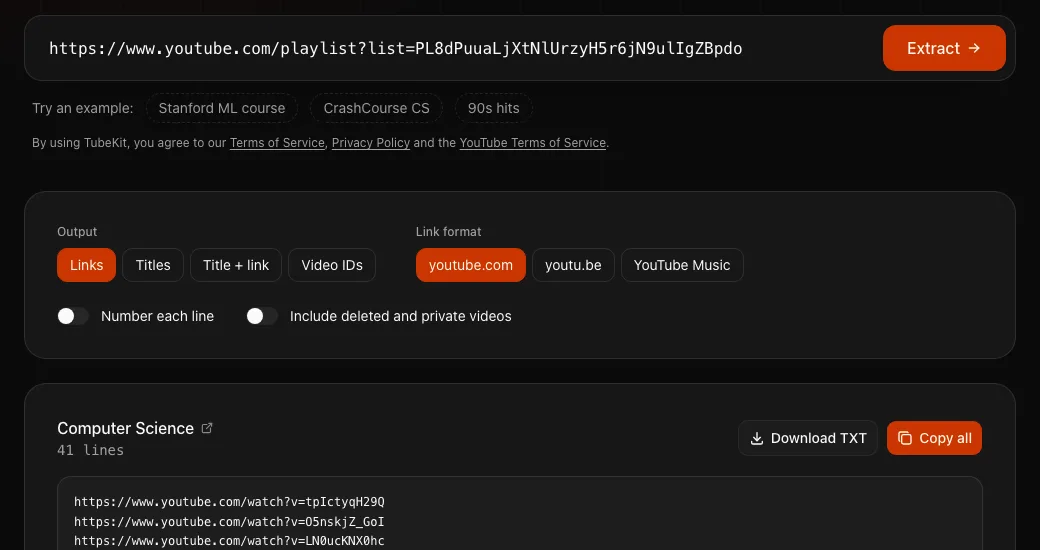
Once you have the link, paste it into one of these free TubeKit tools:
- Playlist Length Calculator: see how long the whole playlist takes to watch, at any playback speed.
- Link & Title Extractor: copy the link or title of every video, one per line.
- Playlist Exporter: download the playlist as CSV, Excel, TXT, JSON or Markdown.
FAQ
Where is the Share button on a YouTube playlist? On a computer, it is the curved arrow next to Play all on the playlist page. In the YouTube app, it is on the playlist page under the playlist's title.
Can I share a private playlist? Not as it is. Change the playlist's visibility to Unlisted or Public first, then share the link.
Do playlist links expire? No. A playlist link keeps working as long as the playlist exists and isn't set to Private.
How do I find a playlist's ID?
It is the text after list= in the link. For example, in youtube.com/playlist?list=PL8dPuuaLjXtNlUrzyH5r6jN9ulIgZBpdo, the ID is PL8dPuuaLjXtNlUrzyH5r6jN9ulIgZBpdo.