

YouTube Monetization Requirements for Both Tiers
The official YouTube Partner Program requirements — 500 subscribers for fan funding, 1,000 for ad revenue — plus the rules that are not about numbers.
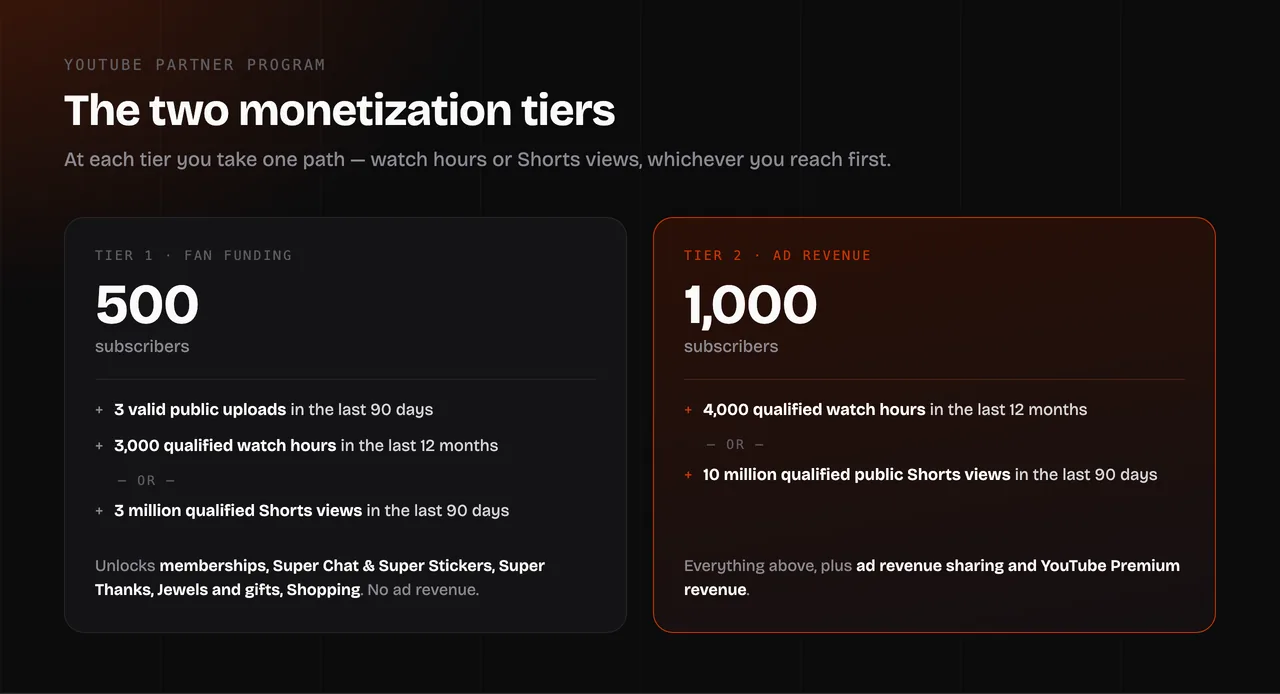
Quick answer: YouTube monetization has two tiers. At 500 subscribers — with 3 valid public uploads in the last 90 days and either 3,000 qualified watch hours in 12 months or 3 million qualified Shorts views in 90 days — you can join the YouTube Partner Program and earn from fan funding and shopping. At 1,000 subscribers — with either 4,000 qualified watch hours in 12 months or 10 million qualified public Shorts views in 90 days — you additionally get ad revenue and YouTube Premium revenue sharing. Both tiers also require 2-Step Verification, an AdSense account, an eligible country and no active Community Guidelines strikes.
Most articles on this topic only mention the 1,000-subscriber tier, which is why so many creators think nothing is possible before then. Here is the full picture, with YouTube's own numbers.
The two tiers at a glance
| 500-subscriber tier | 1,000-subscriber tier | |
|---|---|---|
| Subscribers | 500 | 1,000 |
| Recent uploads | 3 valid public uploads in the last 90 days | — |
| Long-form path | 3,000 qualified watch hours in the last 12 months | 4,000 qualified watch hours in the last 12 months |
| Shorts path (instead of watch hours) | 3 million qualified Shorts views in the last 90 days | 10 million qualified public Shorts views in the last 90 days |
| What it unlocks | Channel memberships, Super Chat & Super Stickers, Super Thanks, Jewels and gifts, Shopping | Everything above, plus ad revenue sharing and YouTube Premium revenue |
Sources: YouTube Help, "Overview of the expanded YouTube Partner Program" and "YouTube Partner Program overview & eligibility" (checked October 2026).
You pick one path at each tier, not both. Watch hours or Shorts views — whichever you reach first.
The requirements that are not about numbers
Hitting the thresholds gets your channel into the review queue. These conditions decide whether it comes out the other side:
- Follow the YouTube channel monetization policies. This is the big one, and it is broader than the Community Guidelines. It covers the advertiser-friendly content guidelines, the rules on reused and repetitive content, and AdSense program policies.
- Live in a country or region where the Partner Program is available. The channel's country setting must be one on YouTube's list.
- No active Community Guidelines strikes. A strike expires after 90 days; while it is active, the application will not succeed.
- 2-Step Verification turned on for the Google Account that owns the channel. Easy to forget and a common reason an otherwise eligible application stalls.
- An AdSense for YouTube account linked to the channel, or be ready to set one up in YouTube Studio during the application.
- Advanced features access on the channel.
YouTube also states that it may turn off monetization on channels that have not uploaded a video or posted to the Posts tab for 6 months or more. Monetization is something you keep, not something you win once.
What counts and what does not
This is where most channels lose months of progress to a misunderstanding.
Qualified watch hours come from public long-form videos. Specifically excluded:
- private and unlisted videos
- deleted videos — pull an old video down and its watch hours leave with it
- watch time driven by ads or paid promotion
- watch hours from Shorts in the Shorts Feed
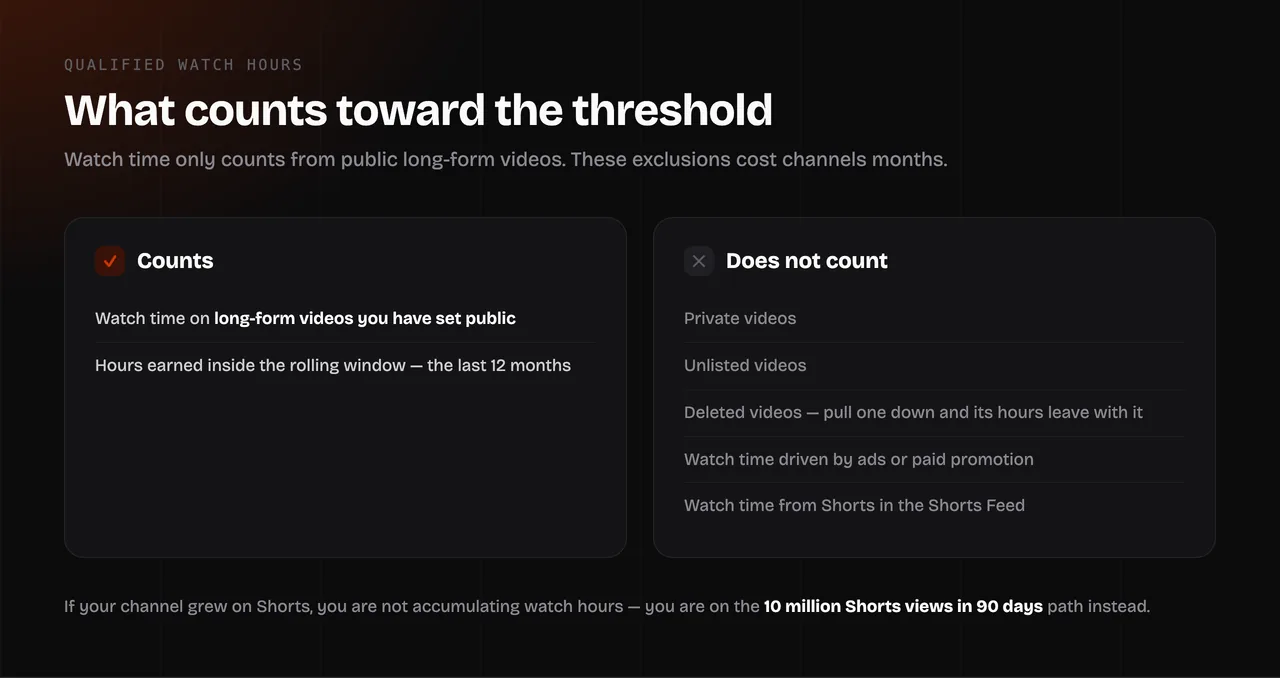
That last point is worth repeating, because it catches a lot of people: Shorts Feed watch time does not count toward the 4,000-hour threshold. If your channel grew on Shorts, you are not slowly accumulating watch hours — you are on the Shorts-views path, and the target is 10 million views in 90 days.
Qualified Shorts views come from Shorts you have set public that appear in the Shorts Feed. The 90-day window is rolling, so the count can go down as well as up. Reaching 10 million in a 90-day window is not the same as reaching 10 million in total.
How the application works
- Open YouTube Studio and go to the Earn section. It shows your progress against each threshold.
- When you meet a tier, apply from the same screen.
- Set up or link your AdSense for YouTube account if you have not already.
- Accept the terms for the monetization modules you want.
- Wait for review. YouTube says this typically takes about one month.
If the application is rejected, you can reapply after 30 days the first time, and after 90 days for any rejection after that. Use that time to fix the stated reason rather than reapplying on the same channel content — the second wait is three times as long.
Meeting the thresholds does not guarantee acceptance. The review is a human and automated check against the monetization policies, and channels get turned down at this stage for reused content, misleading metadata or thin, templated uploads.
What you will actually earn once you are in
Getting monetized and earning money are different milestones. Once ad revenue sharing is on, YouTube pays:
- 55% of net ad revenue from the watch page on long videos
- 45% of the revenue allocated to you from the Shorts Creator Pool
- 70% of net revenue from channel memberships, Super Chat, Super Stickers and Super Thanks
What that comes to per 1,000 views is your RPM, and it swings widely with your topic and where your audience lives. Before you make plans around a number, run your views through the YouTube Money Calculator with a low and a high RPM, so you get a range rather than a single optimistic figure. The guide on how much YouTube pays per 1,000 views explains why that range is so wide and where to read your real RPM in Studio.
A realistic expectation: a channel that has just crossed 1,000 subscribers is usually earning a small monthly amount from ads. The thresholds are a starting line, not a payday.
One change to know about: Shorts, February 2027
YouTube has announced that from February 1, 2027, earning a share of Shorts ad revenue and Premium revenue from the Creator Pool in a given month will require at least 10 million qualified Shorts views in the last 90 days, measured over the 90 days ending on the 15th of the preceding month. Creators who fall below the threshold remain in the Partner Program.
YouTube has also said that creators need to review and accept updated Partner Program terms in YouTube Studio by January 31, 2027 to keep fully monetizing. Both are upcoming policy at the time of writing, so check the Help Center for the current position before acting on it.
Can you check whether a channel is monetized?
Not reliably, and not from outside. There is no public field that says "this channel is monetized", and YouTube does not publish one. Tools that claim to check this are inferring it from indirect signals, and they are frequently wrong — the absence of ads on a video can mean the video is limited, the viewer has Premium, or nobody bid on that impression.
What you can check are the public facts about a channel, which are often what people are really after: the YouTube Channel ID Finder gives a channel's permanent UC ID, its subscriber and video counts, the country it is set to and when it was created. That tells you how old the channel is and roughly how far along it is, without guessing at its revenue.
FAQ
How many subscribers do you need to get monetized on YouTube? 500 for fan funding features, 1,000 for ad revenue sharing. Both tiers also require watch hours or Shorts views on top of the subscriber count.
How many watch hours do you need for YouTube monetization? 4,000 qualified public watch hours in the last 12 months for the ad revenue tier, or 3,000 for the 500-subscriber fan funding tier. Shorts Feed watch time does not count toward either.
Can you get monetized with Shorts only? Yes. Instead of watch hours, you need 3 million qualified Shorts views in 90 days for the 500-subscriber tier, or 10 million qualified public Shorts views in 90 days for ad revenue sharing.
Do watch hours expire? Effectively, yes. The threshold is measured over a rolling 12-month window, so hours older than 12 months stop counting. The same applies to the 90-day Shorts windows.
Do deleted or private videos count toward watch hours? No. Watch hours from private, unlisted and deleted videos do not count, so deleting an old video reduces your total.
How long does YouTube monetization review take? YouTube says typically about one month. If you are rejected, you can reapply after 30 days the first time and 90 days after that.
Why was my application rejected even though I met the requirements? The thresholds get you reviewed; the monetization policies decide the outcome. Reused content, content you did not create or add meaningful value to, repetitive uploads and misleading titles or thumbnails are the usual reasons.
Do I need an AdSense account before applying? You need one linked, but you can create it during the application in YouTube Studio. One AdSense for YouTube account can be linked to several of your channels.
Can I lose monetization after getting it? Yes. Monetization can be removed for policy violations, and YouTube says it may switch it off on channels that have not uploaded a video or posted to the Posts tab for six months or more.